Linear domain, stretched domain
The sequence separates the steps applied to linear data (blue) from those applied after the stretch (pink). A tool placed in the wrong domain is refused, with the reason.
 COSMO
COSMO
Astrophotography software · free
COSMO brings together, in one application, the stacking of sub-exposures, colour calibration on a star catalogue, the processing of the linear then stretched image, and the measurement of the stack.
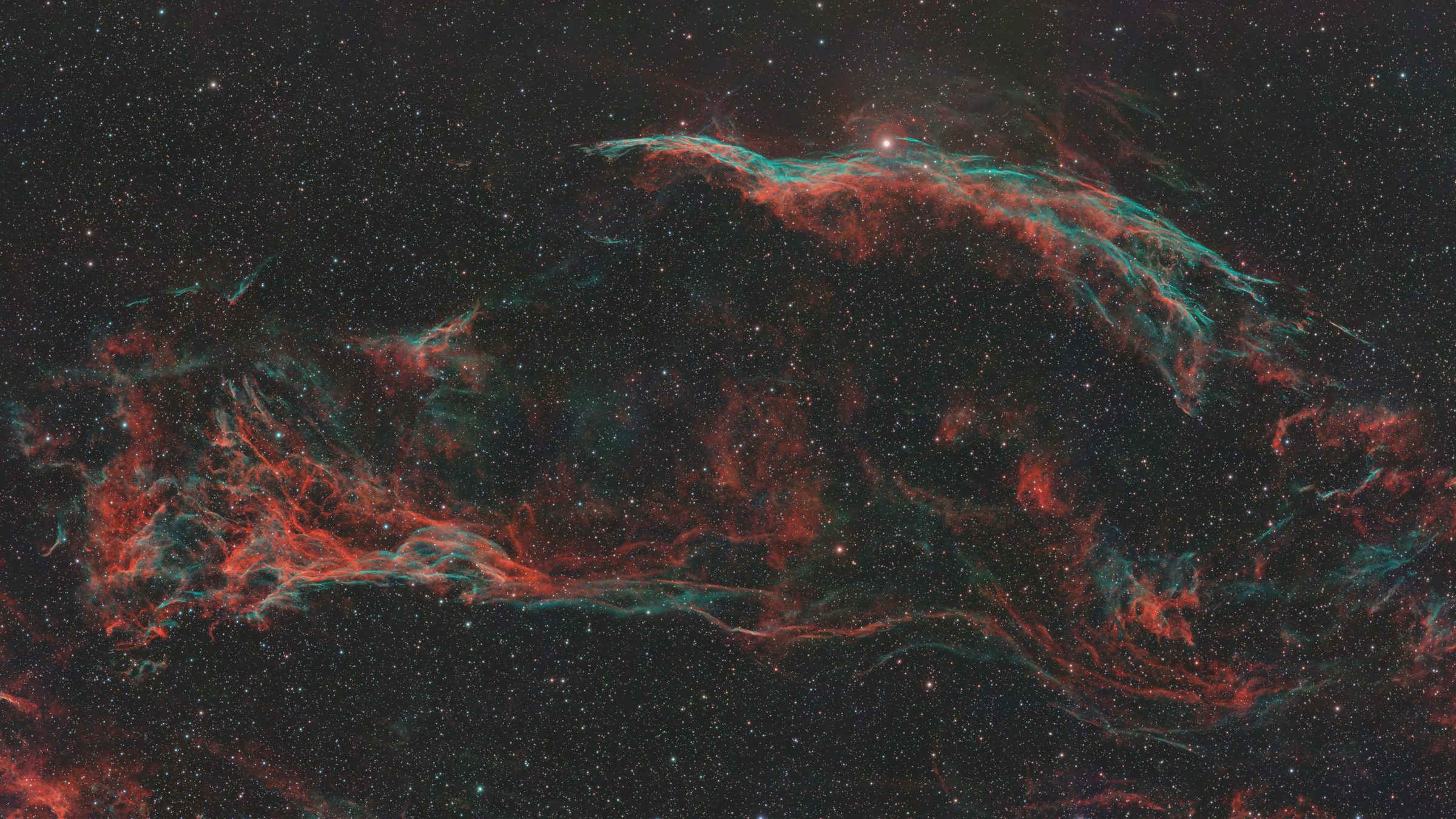
NGC 6960 · Veil Nebula · Seestar S50 Pro · processed in COSMO
Interface
The image fills the whole window. The processing sequence is on the left, the settings of the selected tool on the right. Fit frames the whole image in the free area; zoomed in, it goes under the panels.
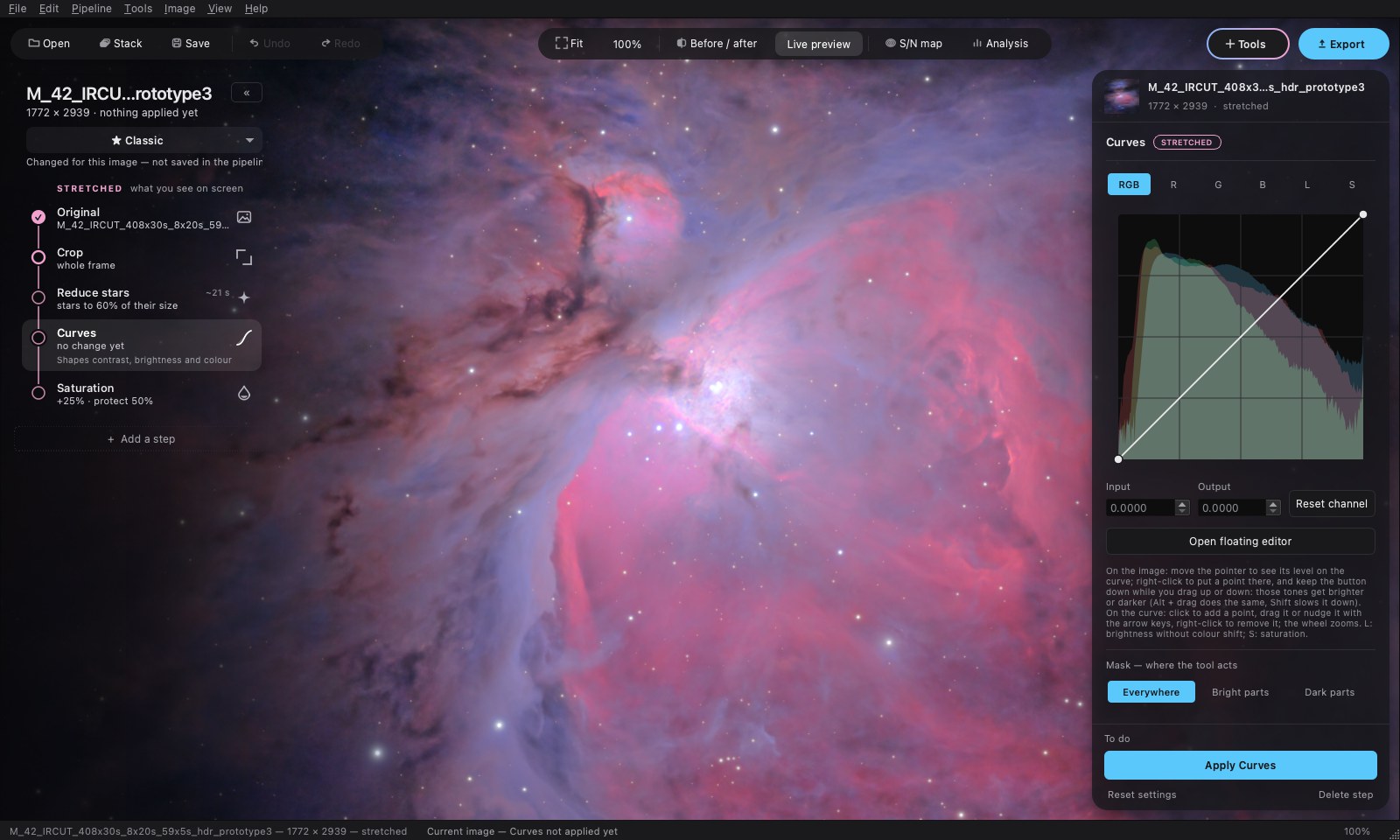
The sequence separates the steps applied to linear data (blue) from those applied after the stretch (pink). A tool placed in the wrong domain is refused, with the reason.
Preview computes the step without applying it. Apply applies it. Go back to this step returns the image to its state before a step already applied. No step is ever run automatically.
A sequence of steps and their settings is saved in a .cosmopipe file, reusable on another image. The Classic pipeline is loaded at startup.
Stacking
The Stack tool takes a folder of sub-exposures and produces a stack. Three modes.
With the long exposures alone, the core of the nebula is saturated. With the HDR stack, it is recovered. The rest of the image is unchanged.
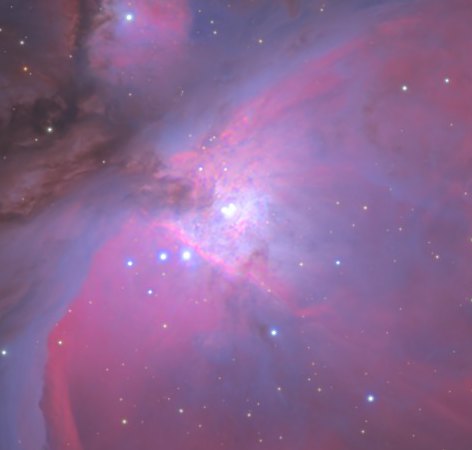
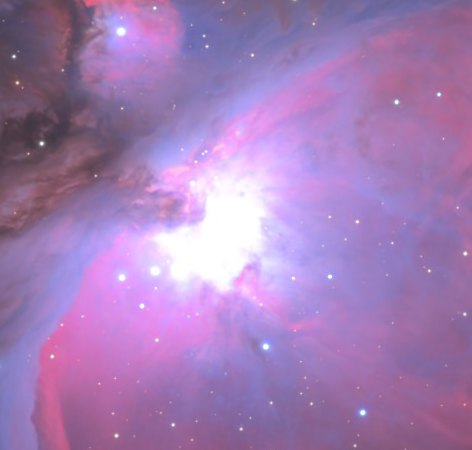 long exposuresHDR stack
The comet is found automatically. On the left, the stack aligned on the comet: the stars trail. On the right, the combined image.
With no measurable motion, the window says so and produces a standard stack.
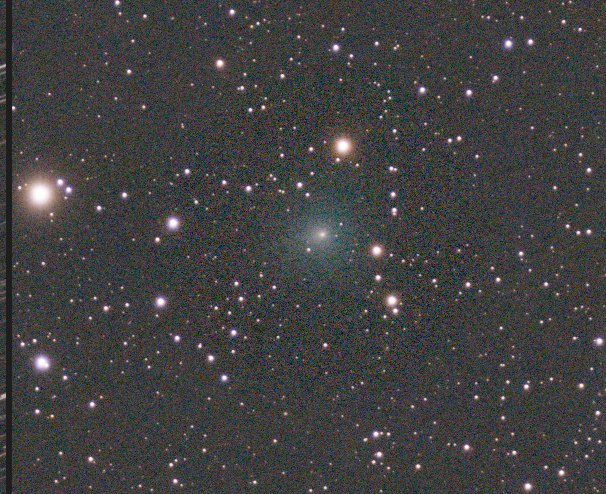
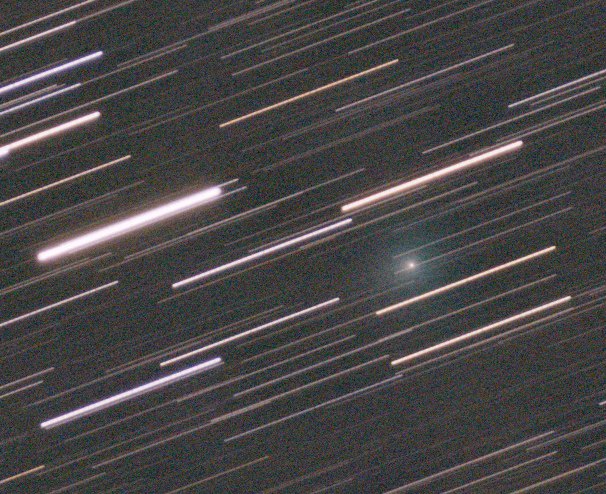 aligned on the cometcombined
Processing
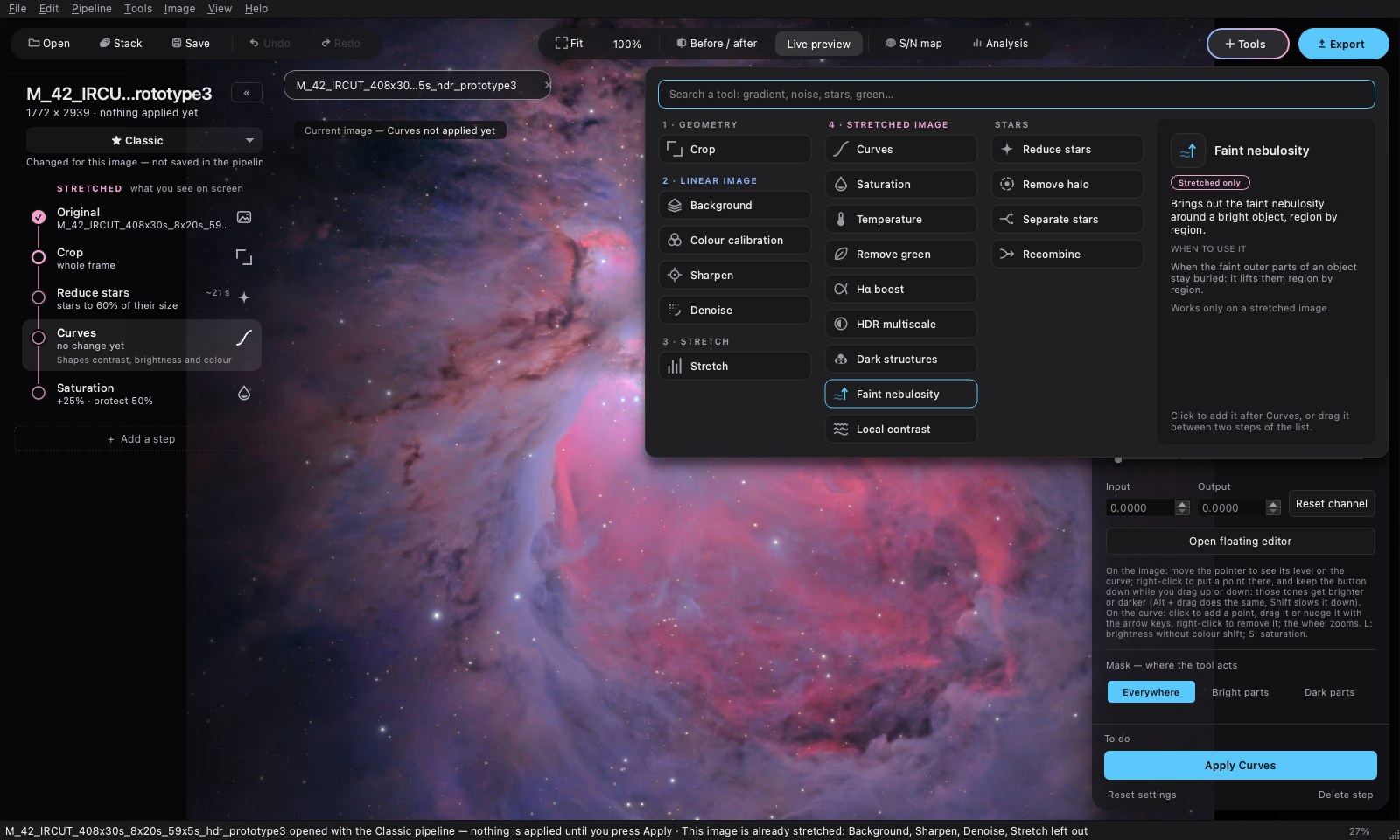
Every tool has a preview computed on the image. The tools of the stretched image accept a mask (bright parts or dark parts).
In one click, the tool brings out faint nebulosity region by region, without saturating the bright parts. The Neutral black setting keeps a neutral background in dark nebulae.
Example: M 42, same sub-exposures. On the right, with the Faint nebulosity tool.
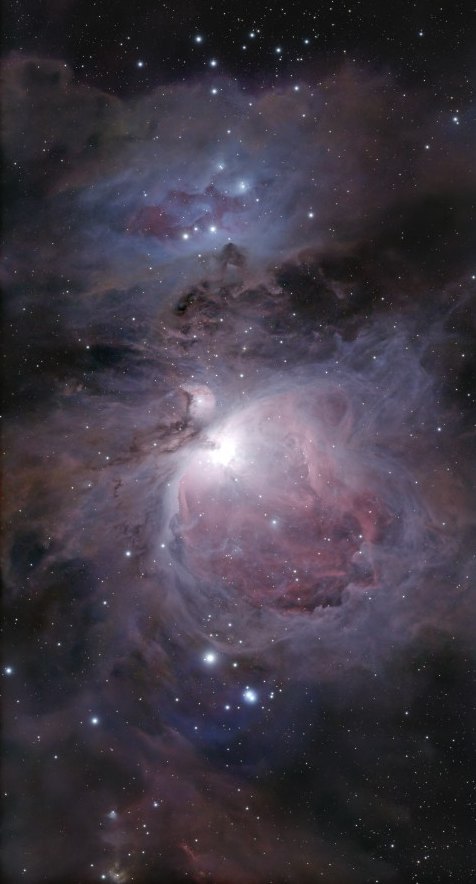
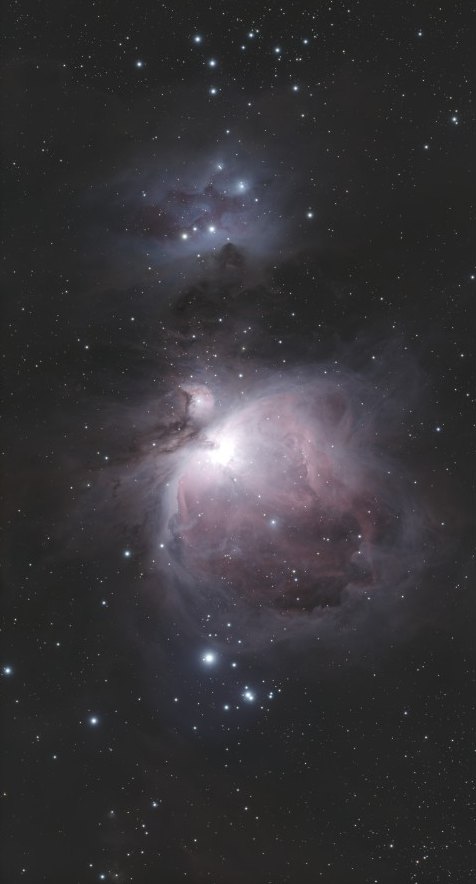 withoutwith Faint nebulosity
The tool identifies the stars of the image in the Gaia DR3 catalogue and sets the three colours from the known colour of each star. No plate-solving software is needed.
The result is saved for the sensor and the filter, then reused on the following images.
Four more tools, each on a real image.
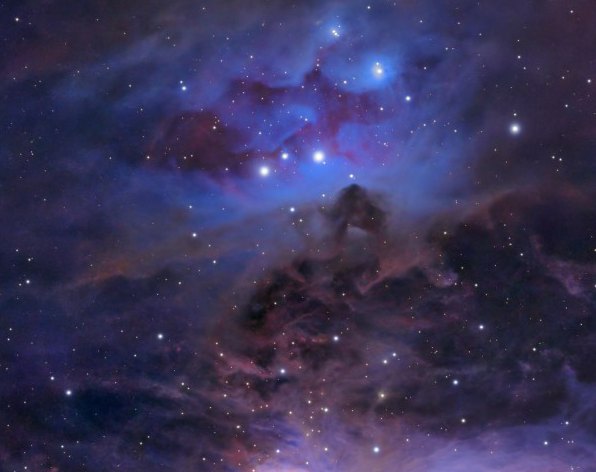
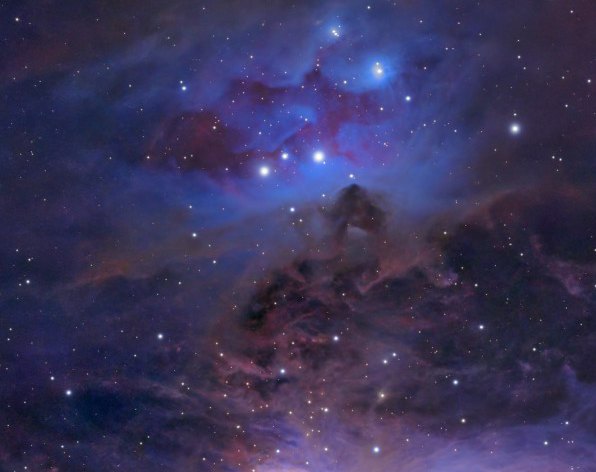 withoutwith Local contrast
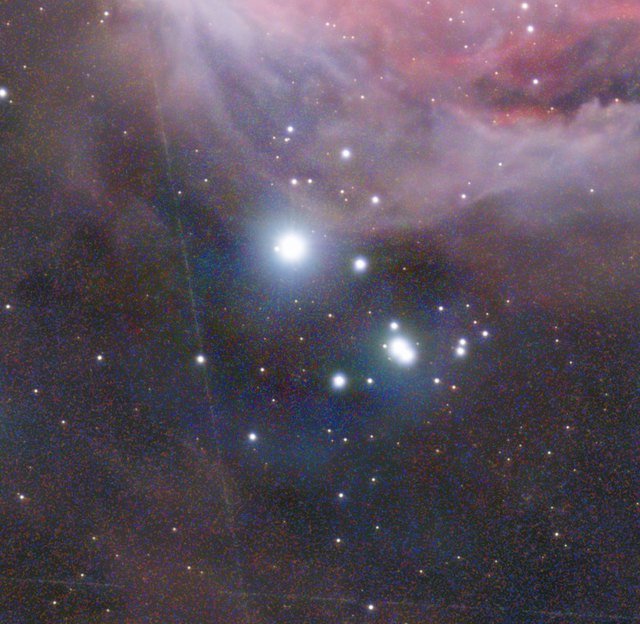
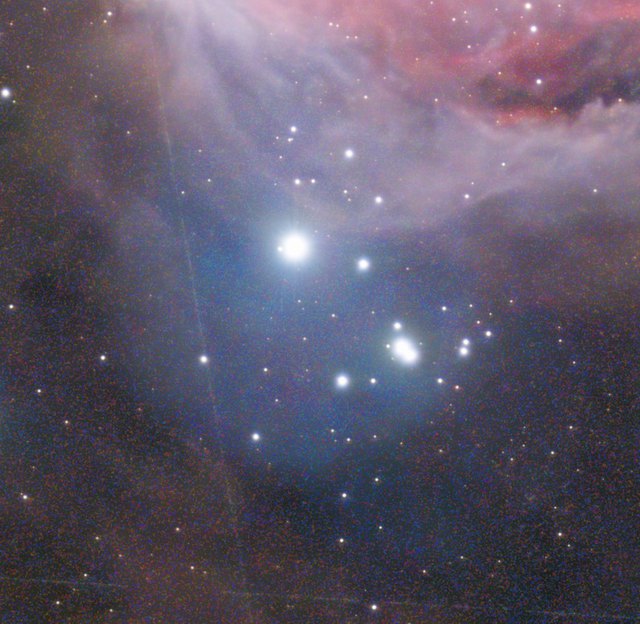 withoutwith Remove halo
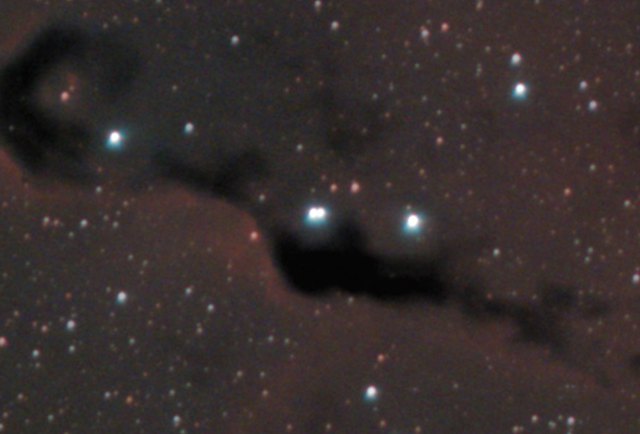
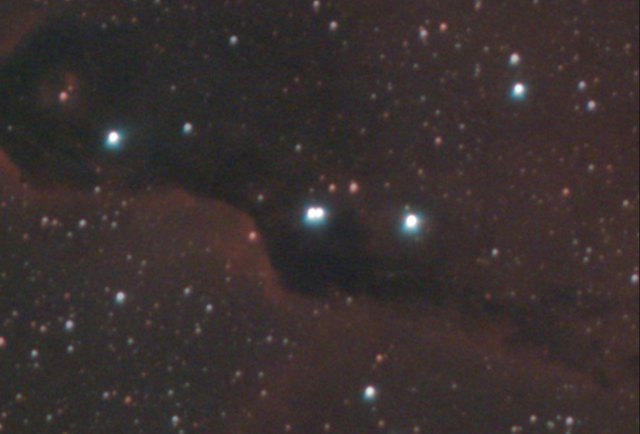 withoutDark structures 100 %
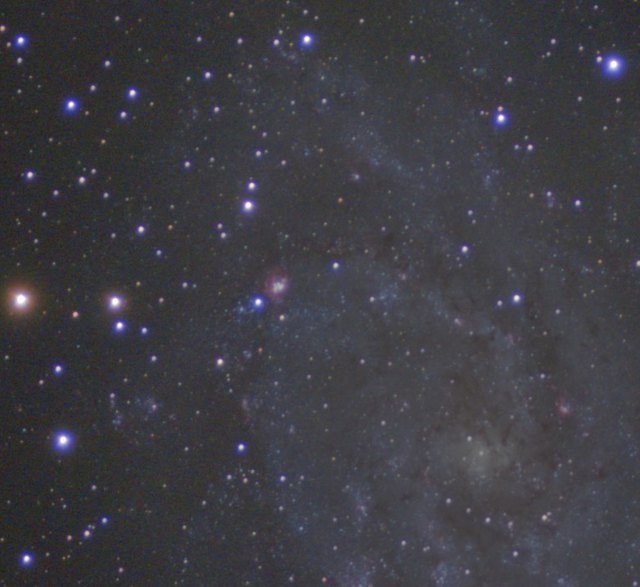
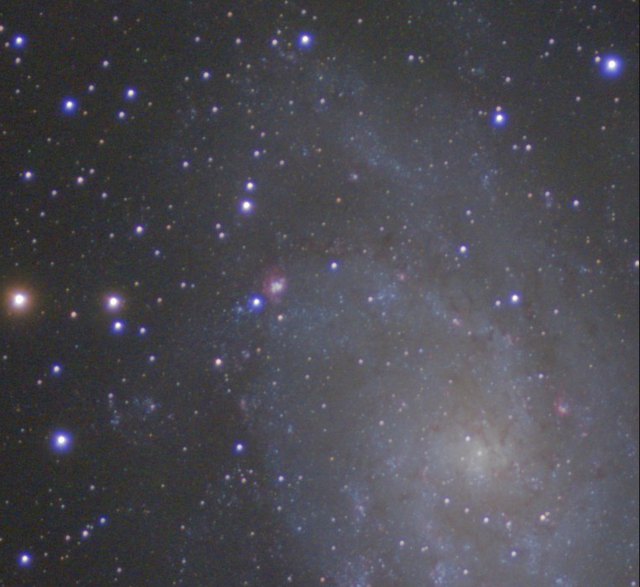 withoutHDR multiscale 60 %
Measurement
Two tools measure the stack without changing it.
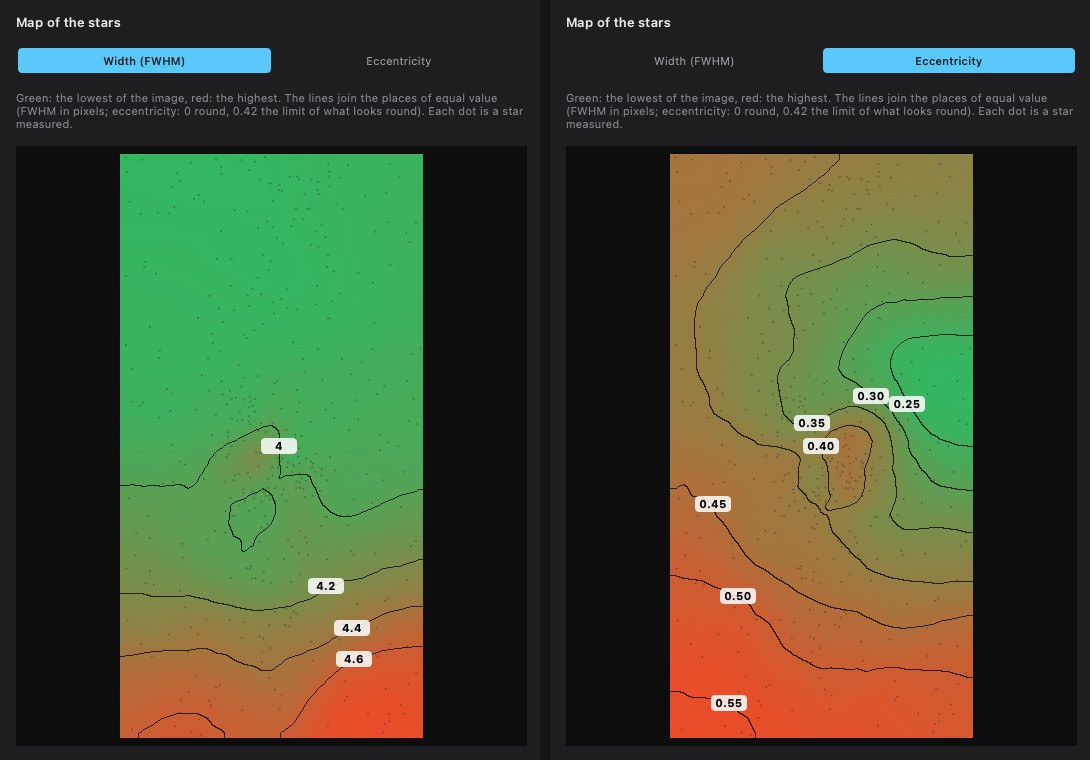
Full width at half maximum (FWHM) and eccentricity of the stars, as contour maps over the whole field. A diagnosis is given when the difference exceeds 10 %: sensor tilt, field curvature, tracking. With Gaia: limiting magnitude at 5 σ and surface-brightness limit at 3 σ over 10″ × 10″.
Example: limiting magnitude G 18.2, surface-brightness limit 24.1 mag/arcsec².
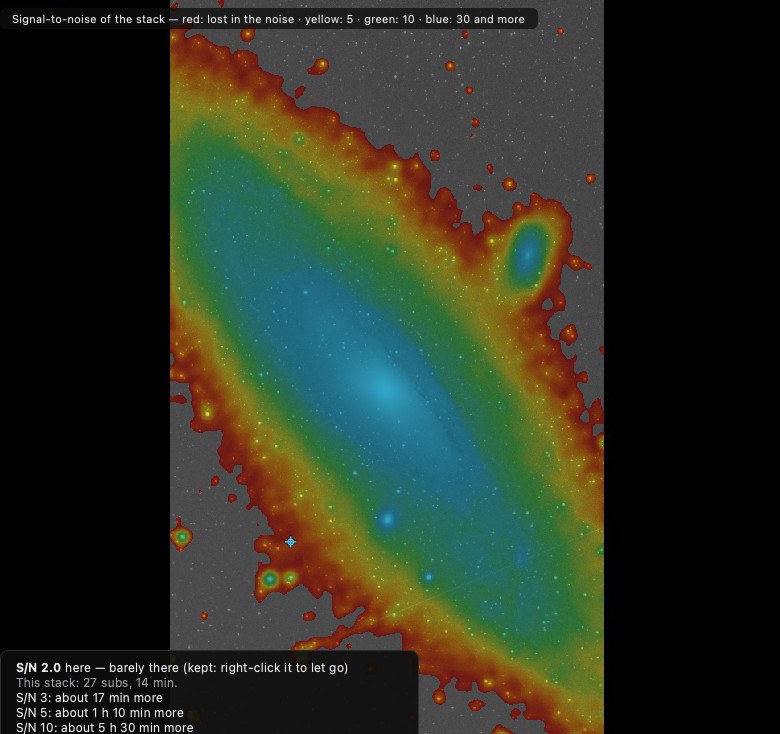
Signal-to-noise ratio of the stack in false colours. For the region under the pointer: the measured ratio and the extra exposure time needed to reach 3, 5 and 10.
Example: M 31, outer arm at S/N 2.
Gallery
All taken with a Seestar S50 Pro. The caption of each image lists the tools used, external engines included.
Design
Every process reports what it measured: number of stars used, subs left out and why, gains applied, motion of the comet. A setting with no effect says why.
Generalised hyperbolic stretch, à trous wavelet transform, photometric calibration on a catalogue, HDR composition in linear light. Implementations written from the published equations.
GraXpert (sky background) and the RC-Astro engines (sharpening, noise, stars) are used from the user's own installation, when present and licensed. The other tools do not depend on them.
Each step is set, previewed, then applied by the user. A step already applied can be redone.

Download
Free. Two installers; each one carries the application and the three COSMO networks (COSMOSharp, COSMODenoise, COSMOStars), which are experimental.
7172756cbcc9b3ac7eb4283ea347e84d843b3aaff31d26d75b7663aa59844466 COSMO-0.3.0-macos-arm64.dmg
0bec2f4c387a49a9dd208d15dc5d87be84c5c7446ed5e7cc9a633522e4a8679a COSMO-0.3.0-windows-setup.exe
By downloading, you accept the licence: free to use; no redistribution, no use of the networks outside the application.
The optional GraXpert and RC-Astro engines are not included: COSMO uses them from your own installation. RC-Astro remains subject to its publisher's licence.
Support
COSMO is free and developed on personal time. An optional one-time contribution funds training compute for the networks and the purchase of test data.
Handled by an external payment site; COSMO receives no card details. A contribution unlocks nothing: the software stays the same for everyone.
FAQ
Yes: COSMO, its stacker and its tools, with no account and no subscription. The RC-Astro engines are an optional complement, subject to their publisher's licence.
COSMO processes any deep-sky image in FITS or TIFF. The Stack tool reads the raw sub-exposures of a colour sensor; it was developed on the subs of a Seestar S50 Pro, with which every image on this page was taken.
Read: FITS, TIFF, PNG, JPEG. Export: 32-bit FITS, 16-bit TIFF, PNG, JPEG; the last three carry the sRGB profile.
FWHM, limiting magnitude and signal-to-noise ratio serve to assess a stack. Magnitudes are referred to the Gaia G band from a colour sensor: they are estimates, not calibrated photometry.