
Stretched image
Remove green tool
Removes the residual green (SCNR), or turns it towards teal.
How to use it
- Open Tools and click the tool: it is added after the selected step.
- Move its settings: the image follows as you move them (Live preview).
- Press Apply to keep the result. Before / after compares at any time.
Settings
- Amount
- How much of the green above the neutral level is removed.
- Average neutral / Maximum neutral
- The level green is brought down to: the mean of red and blue, or the larger of the two (gentler).
- Preserve lightness
- The brightness lost with the green is given back.
- Towards teal
- Turns the hue of the greens towards cyan: 50 % gives teal. Made for dual-band stacks.
- Mask
- Everywhere, Bright parts (the object, not the sky) or Dark parts. Stars are not in the mask.
- Threshold
- Where the mask starts, from the sky background (0 %) to the brightest part of the object (100 %).
When to use it
When a green cast is left on a colour-camera image, most often after an anti-pollution filter.
Image
Made for a stretched image; it can be used on a linear one.
Example
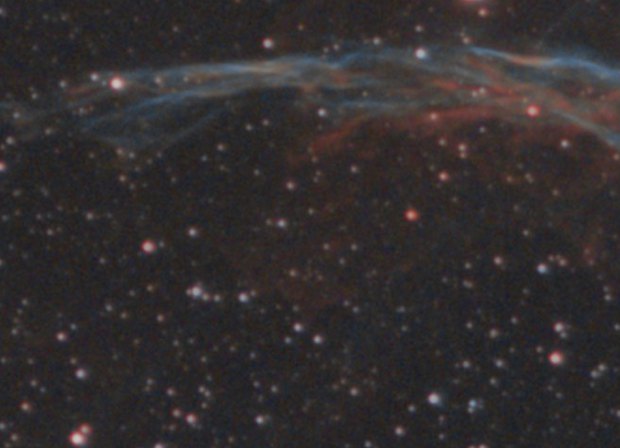
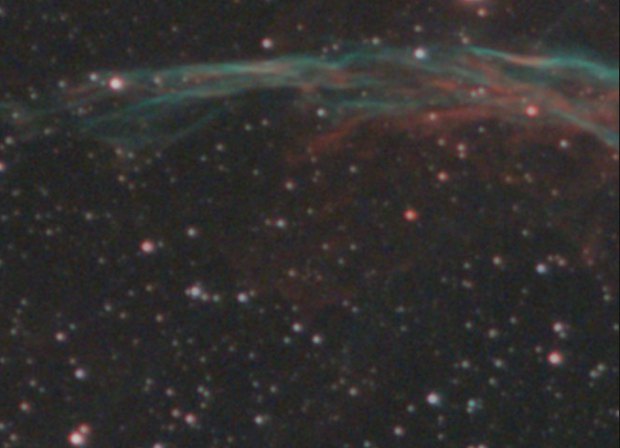 withoutwith Remove green