
Linear image
Denoise tool
Reduces the noise while the image is still linear.
ExperimentalCOSMODenoise, the in-house network of this tool, is experimental and not recommended for finished images: defects remain on some images. The tool can also run with RC-Astro NoiseXTerminator, from your own licensed installation.
How to use it
- Select the step in the sequence, or add the tool from Tools.
- Set it, then press Preview: the step is computed without being applied.
- Press Apply to keep the result, or change the settings and preview again.
Settings
- Amount
- Blends the denoised image with the original. Instant: the model is not run again.
When to use it
On the linear image, after Sharpen and before the stretch, which would amplify the noise.
Image
Made for a linear image; it can be used on a stretched one.
Example
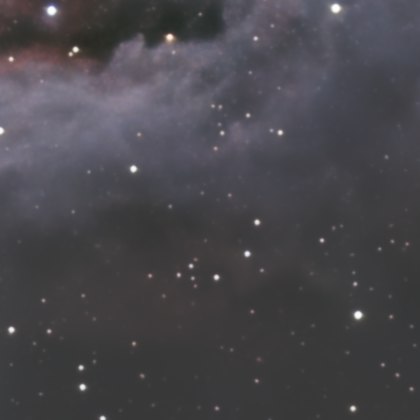
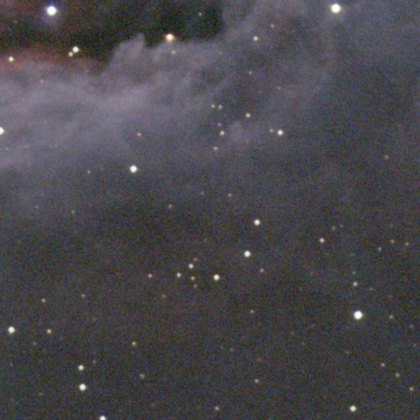 withoutwith Denoise