
Stars
Remove halo tool
Removes the halo of a bright star picked on the image.
How to use it
- Open Tools and click the tool: it is added after the selected step.
- Move its settings: the image follows as you move them (Live preview).
- Press Apply to keep the result. Before / after compares at any time.
Right-click the star on the image: its halo is measured and two circles are drawn, where the halo ends and where the star keeps its own glow.
Settings
- Amount
- How much of the halo is taken off.
- Halo radius
- Where the halo ends: the outer circle. Measured when the star is chosen.
- Glow kept
- The glow the star keeps: the inner, dashed circle. Less gives a tighter star.
- Residue
- Removes the veil left by overlapping halos of neighbouring stars.
- No star at its centre
- For what a removed star leaves on a starless image: a ring, a disc, a hollow.
When to use it
When a bright star keeps a ring or a glow. The star is picked with a right-click on the image.
Image
Works on a linear or a stretched image.
Example
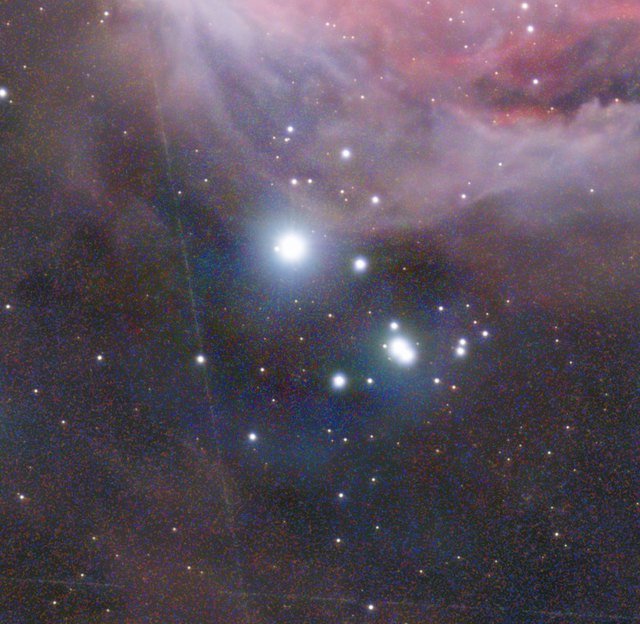
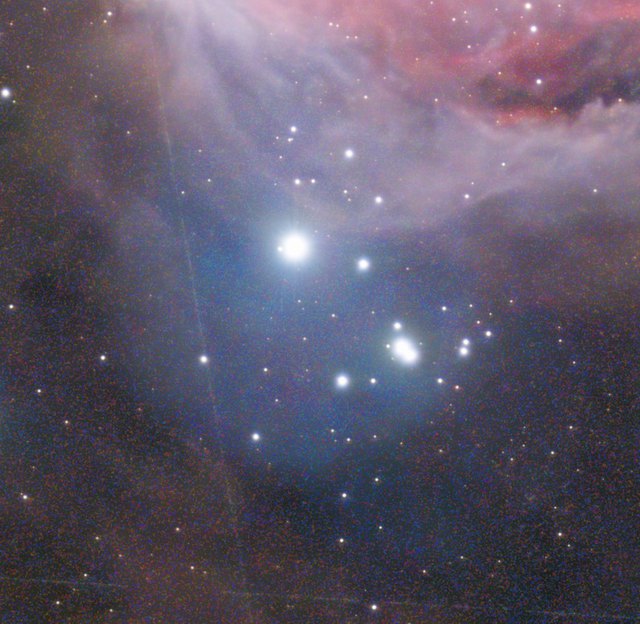 withoutwith Remove halo